How Architects Use Renders to Win Approvals & Competitions
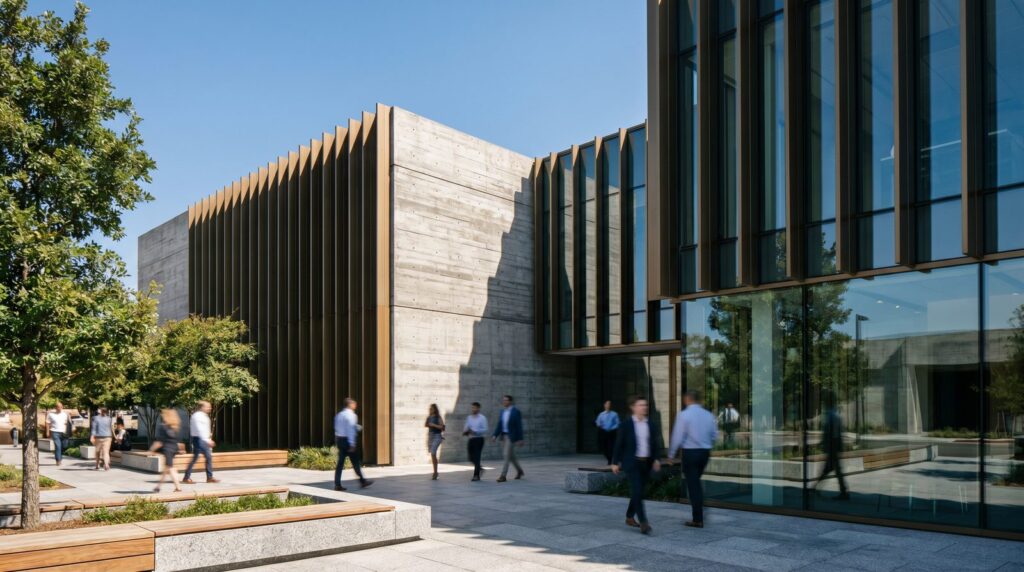
Architects use photorealistic 3D renderings to communicate design intent faster and more persuasively than drawings alone ever could. A well-prepared render package answers the questions that boards, jurors, and clients are already forming before they open their mouths — context, scale, materiality, and feel. The result: fewer revision cycles, faster approvals, and stronger competition placements.
Why Boards and Committees Respond to Photorealistic Renders
Planning commissioners, HOA boards, and zoning committees are rarely architects. They read buildings through what they can visualize, not through orthographic drawings or section cuts. When a project lands in front of a non-technical audience, the quality of its visual communication is the project.
Photorealistic renders do three things that drawings cannot:
- Establish context. Aerial and street-level views show how the building sits within its actual neighborhood — setbacks, tree canopy, neighboring rooflines, sidewalk experience.
- Communicate materials honestly. Board members can see whether the façade reads as brick, glass, or stucco without needing to decode a materials legend.
- Reduce fear of the unknown. Objections often come from imagination filling gaps. A photorealistic render leaves fewer gaps.
Dusk and twilight renders are especially effective for boards because they show lighting impact — a common community concern — without requiring a separate lighting study presentation.
Competition Submissions: What Jurors Actually Want to See
Design competition jurors are architects, critics, and developers who review dozens of boards in a single sitting. They reward clarity, narrative, and craft. A render that looks like every other entry — flat lighting, generic entourage, no sense of place — gets passed over regardless of the design quality underneath it.
The renders that win competitions tend to share these characteristics:
- A hero view that tells a story. One cinematic image — typically a human-scale exterior or a key interior moment — that captures the thesis of the project.
- Consistent lighting language. All views use the same time of day, atmosphere, and color temperature so the submission reads as a unified body of work.
- Purposeful entourage. People, vehicles, and vegetation that reinforce the program (a family-oriented housing project looks different from a corporate campus).
- Aerial or site context view. Jurors want to understand site response. An aerial rendering that shows massing in relation to surroundings signals design intelligence.
- At least one interior view. Competitions increasingly reward spatial quality. An interior rendering of the primary program space demonstrates that the design works from the inside out.
Boards typically have 30–60 seconds per panel. If your hero image doesn’t stop them, the rest of the submission doesn’t matter.
Planning & Zoning Approvals: Renders That Answer Objections
The fastest path through a planning hearing is to answer objections before they’re raised. That means building your render package around the specific concerns your jurisdiction is likely to have, not around the views you find most architecturally interesting.
Common planning objections and the renders that address them:
| Objection | Render Type That Answers It |
|---|---|
| “It won’t fit the neighborhood character.” | Street-level exterior with adjacent buildings modeled in context |
| “It will block views or light.” | Shadow study renders at morning, noon, and afternoon |
| “The parking/traffic impact is unclear.” | Aerial site plan render showing circulation and parking layout |
| “We can’t tell what materials are proposed.” | Close-up façade detail render with material callouts |
| “What does it look like at night?” | Twilight or night render showing lighting levels |
| “How does it affect pedestrians?” | Eye-level street view from the sidewalk perspective |
Preparing renders that directly map to your jurisdiction’s design review checklist is the single highest-ROI move in a planning submission. If the staff report references specific design guidelines, your renders should visually demonstrate compliance with each one.
Client Buy-In: Closing Design Sign-Off Without Revisions
Revision cycles are expensive. Most of them happen because clients approved something they didn’t fully understand, then saw the built result and realized it wasn’t what they pictured. Photorealistic renders close that gap at the design stage, when changes cost time on a computer rather than money in the field.
The most effective client presentations combine an exterior rendering showing the building from the street with interior renders of the primary living or working spaces. When clients can walk through a space visually before it’s built, they sign off with confidence — and they defend that decision internally when stakeholders push back later.
For developer clients specifically, renders also function as a sales tool the moment design is approved. The same assets that closed internal sign-off go directly into investor decks, pre-sale listings, and leasing brochures. One render package serves multiple business functions.
What Files and Views to Prepare for Each Stage
The right render package depends on the submission type. Here’s a practical breakdown:
| Submission Stage | Recommended Views | Typical File Format |
|---|---|---|
| Design competition | 1–2 hero exteriors, 1 interior, 1 aerial/site, optional animation loop | High-res PNG/TIFF for print boards; MP4 for digital submissions |
| Planning/zoning hearing | Street-level context view, aerial, shadow studies, façade detail, twilight | PDF-ready JPEGs at 300 DPI; PowerPoint-compatible versions |
| Client design sign-off | Primary exterior, 2–3 key interior spaces, optional material close-ups | Web-optimized JPEGs for email/presentation; print versions on request |
| Investor/lender deck | Hero exterior (dusk preferred), aerial, lobby or amenity interior | 16:9 JPEGs sized for slide decks |
| Pre-sale/leasing marketing | Exterior, unit interiors, amenity spaces, site plan render | Web JPEGs + social crops (1:1, 4:5, 9:16) |
Deliver files in every format the submission requires before the deadline conversation happens. Boards that receive low-resolution images at a hearing will note it in the record.
Choosing the Right Rendering Partner for High-Stakes Submissions
Not all rendering studios are equipped for the stakes of a competition or a contested planning hearing. When evaluating a partner, look for these capabilities:
- Architectural literacy. The studio should be able to read your drawings and ask intelligent questions about materiality and program — not just model what’s in front of them.
- Context modeling. High-stakes submissions require accurate site context, not placeholder geometry. Ask whether the studio models neighboring buildings from survey data or GIS sources.
- Turnaround that respects deadlines. Competition and planning deadlines are fixed. Confirm the studio has a defined production timeline and communicates proactively on milestones.
- Revision process. Understand how many rounds of revisions are included and what triggers additional cost. One well-structured feedback round should be sufficient if the brief is clear.
- Output formats. Confirm the studio delivers print-ready, presentation-ready, and web-ready versions as standard — not as add-ons.
For architects working across multiple project types, a rendering partner who understands both the competition circuit and the planning environment is worth the investment. Reach out to Ratio Visuals to discuss your next high-stakes submission and what a tailored render package looks like for your specific project stage.
Frequently Asked Questions
How many renders does a typical planning submission need?
Most planning submissions are well-served by four to six views: a street-level context exterior, an aerial showing site relationships, a twilight or night render addressing lighting concerns, a façade detail, and optionally a shadow study sequence. The right number depends on your jurisdiction’s design review criteria — map your views to their checklist rather than guessing.
What’s the difference between renders for competitions versus client presentations?
Competition renders prioritize narrative and craft — they need to stop a juror mid-scroll and communicate the design thesis in a single image. Client presentation renders prioritize legibility and accuracy — clients need to recognize their finishes, understand the spatial flow, and feel confident signing off. The technical quality standard is the same; the storytelling approach is different.
How early in the design process should renders be produced?
Schematic design renders (even relatively loose ones) are useful for early client alignment and can prevent costly design pivots later. Competition renders typically need to be production-quality by the submission deadline, which means briefing your rendering partner four to six weeks out for complex projects. Planning renders should be finalized before the staff report is written, not after.
Can renders actually speed up the planning approval process?
Yes — when the render package directly addresses the concerns on a jurisdiction’s design review checklist, staff reviewers spend less time requesting additional information, and board members have fewer questions at the hearing. Projects that arrive with a complete, high-quality visual package consistently move through review faster than those relying on drawings alone. The time saved on one hearing cycle typically covers the cost of the renders.
What file resolution is needed for competition boards versus digital presentations?
Print boards for competitions typically require images at 300 DPI at the final printed size — for a standard A1 board, that means source files in the range of 7,000–9,000 pixels on the long edge. Digital-only submissions and presentations are well-served by 3,000–4,000 pixels wide at 72–96 DPI. Always confirm the submission platform’s maximum file size limits before final export.