Enscape vs Professional Rendering: Where the Difference Shows in Marketing
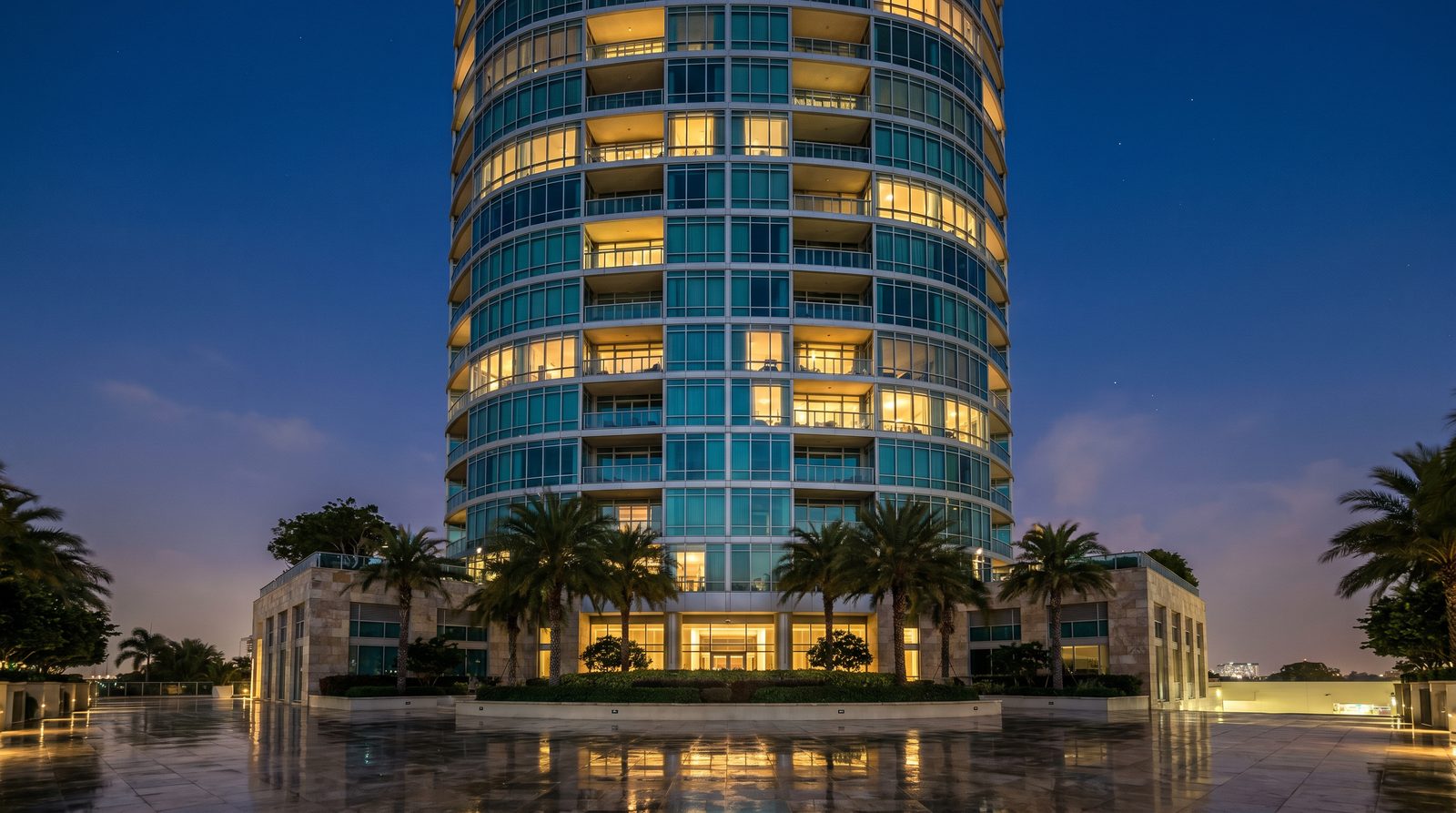
Enscape is a real-time visualization plugin built for design iteration — fast, model-linked, and genuinely useful during the design phase. A professional rendering studio produces marketing-grade stills and films built for sales, investor decks, and lease-up campaigns. For most US developers and architects, the answer is not either/or: Enscape serves the design workflow; a studio serves the marketing moment. The two have different jobs.
Ratio Visuals' take: In our experience working with US developers, the renders that close pre-sales deals are not Enscape exports — not because Enscape is a poor tool, but because marketing renders require decisions that happen outside the model: camera art direction, material storytelling, lifestyle staging, and lighting that reads as a photograph. Those decisions are a service, not a software feature. We have seen projects where Enscape screenshots were used in investor decks and the feedback was "it looks like a video game." That perception cost time. The fix was not a better GPU — it was a different workflow.
What is Enscape and who is it actually for?
Enscape is a real-time rendering and visualization plugin for SketchUp, Revit, Rhino, Archicad, and Vectorworks. It runs as a live-linked viewport: changes in the host model appear instantly in Enscape. Outputs include stills, 360-degree panoramas, walkthroughs, animations, and shareable web standalones. It is aimed at architects, interior designers, and AEC professionals who want fast visualization without leaving their modeling software.
As of the November 2026 release, Enscape added AI-assisted asset search, a beta Chaos AI Assistant, beta 3D model generation, updated Veras integration, and a Section Box tool that lets users cut through a model directly in the Enscape viewport without creating section views in the host CAD app. Texture streaming now loads at the resolution needed for the current view, reducing GPU memory demand on large projects. These are meaningful workflow improvements — they make Enscape faster and smarter for design-phase use.
Enscape does not publish plan prices in its official product pages (as of the research date). Check the Chaos blog's own comparison coverage or the live Enscape pricing page for current plan details before budgeting.
What does a professional rendering studio actually produce?
A professional architectural visualization studio — like Ratio Visuals — produces marketing-grade stills, films, and interactive assets built specifically for sales, leasing, and investor presentations. The output is not a model export; it is a composed image with deliberate art direction, photorealistic materials, lifestyle staging, and cinematic lighting. The studio's job is to make an unbuilt building look like a photograph worth publishing.
The process involves shot-list planning, camera composition, material selection beyond what the model contains, environment and entourage curation, lighting design (golden hour, dusk, overcast, interior artificial light), and post-production. For exterior rendering and interior rendering, those decisions are where the perceived quality lives — not in the renderer's ray-tracing algorithm.
Enscape vs professional rendering: head-to-head comparison
| Factor | Enscape (real-time plugin) | Professional rendering studio |
|---|---|---|
| Primary purpose | Design iteration, client design reviews, internal coordination | Marketing assets: pre-sales, lease-up, investor decks, listings |
| Who operates it | The architect or designer, inside their modeling software | A dedicated visualization team with art direction expertise |
| Speed | Real-time; stills exportable in minutes | Typically days per image; turnaround depends on complexity and revisions |
| Output quality ceiling | Good for design review; limited by real-time constraints and model fidelity | Photorealistic; indistinguishable from photography when done well |
| Art direction | User-controlled within the model; no dedicated art direction service | Shot list, camera composition, staging, and lighting designed for the audience |
| Material library | Built-in Chaos material library; limited by what is in the model | Custom PBR materials sourced or built to match specified finishes exactly |
| Lifestyle & entourage | Asset library included; placement is user-driven | Curated people, vehicles, planting, and props selected for the target buyer |
| Pricing model | Subscription (exact 2026 plans: check Enscape's live pricing page) | Per-project quote; Ratio Visuals quotes within one business day from drawings |
| Hardware dependency | Performance depends on user's GPU and scene complexity | Studio handles compute; client provides drawings |
| Best for | Design-phase reviews, permit submissions, early client alignment | Pre-sales launches, broker packages, social ads, print brochures |
When is Enscape the better choice?
Enscape is the right tool when speed and model-linkage matter more than marketing polish. If the goal is to show a client a design option during a meeting, iterate on massing in real time, produce a walkthrough for a planning submission, or give a sales team a web-shareable panorama for early-stage conversations, Enscape delivers that faster and at lower cost than commissioning a studio render.
For architects who need to produce dozens of design-review images across a project's life, Enscape's subscription model makes more sense than per-image studio fees. The November 2026 AI features — asset search, the beta AI Assistant, and 3D model generation — also make it faster to populate scenes without manual asset placement, which is a real time saving in a busy practice.
Enscape is also a reasonable choice for landscape and site visualization at the schematic design stage, where the goal is communicating spatial intent rather than selling a finished product.
When does a professional rendering studio produce better results?
A professional studio produces better results when the image is the sales tool — when it will appear on a listing, in a broker package, on a billboard, in a social ad, or in an investor presentation. At that point, the question is not "does this look like the model?" but "does this make someone want to buy?" Those are different questions with different answers.
The gap between Enscape output and studio output is most visible in three areas: lighting, materials, and staging. Real-time rendering compresses the lighting calculation to maintain interactivity; a studio render uses full global illumination with no time constraint. Material fidelity in Enscape depends on what the designer has built into the model; a studio sources or builds PBR materials to match the actual specified finishes — the right tile grout width, the correct stone veining, the exact paint sheen. Staging — the people, the furniture arrangement, the towels on the pool deck — is chosen to speak to a specific buyer demographic, not placed from a generic asset library.
For real-estate marketing renders, the difference between a good Enscape export and a studio image is often the difference between "this looks like a rendering" and "this looks like a photograph of a finished building." That perception gap has a direct effect on buyer confidence.
Can Enscape and a studio workflow be used together?
Yes — and this is the most practical answer for most US developers and architects. Enscape handles the design phase: fast iteration, internal reviews, early client alignment, permit submissions. When the design is locked and the marketing moment arrives, the studio takes the same model (or a simplified version of it) and produces the marketing assets. The two workflows are complementary, not competing.
In our work with developers, we regularly receive Revit or SketchUp models that the design team has already been using in Enscape. The model is the starting point; the studio work is everything that happens to it after — camera selection, lighting design, material upgrades, staging, and post-production. That division of labor is efficient and produces the best outcome at each stage.
What drives the cost difference between the two approaches?
Enscape's cost is a subscription — a flat recurring fee regardless of how many images you produce. A studio charges per project, with cost driven by the number of views, building type, interior versus exterior, lighting complexity (day versus dusk versus night), level of material detail, and whether animation is involved. For a single marketing image, a studio will cost more than an Enscape export. For a full pre-sales campaign with ten to twenty hero images, the per-image cost of a studio is justified by the quality difference at the point of sale.
For a detailed breakdown of what drives rendering costs, see the rendering cost guide.
Frequently asked questions
Is Enscape good enough for real-estate marketing renders?
Enscape produces useful design-review images, but for marketing materials — listings, broker packages, investor decks, social ads — a professional studio render is typically better. The gap shows in lighting realism, material fidelity, and lifestyle staging. Buyers respond to images that look like photographs, and real-time rendering has constraints that make that difficult to achieve consistently.
How does Enscape compare to V-Ray or other offline renderers?
Enscape prioritizes speed and model integration over maximum output quality; V-Ray and similar offline renderers prioritize photorealism and are used by professional studios for final marketing assets. Enscape is a design-workflow tool; V-Ray is a production tool. A studio using V-Ray or a comparable renderer will produce higher-quality stills than Enscape for the same scene, at the cost of longer render times.
Can I send my Enscape model to a rendering studio?
Yes. Most professional studios accept SketchUp, Revit, Rhino, Archicad, and Vectorworks files — the same host applications Enscape supports. The studio uses the model as a starting point and builds the marketing scene from it. Providing a clean, organized model with material assignments speeds up the process and reduces cost.
Does Enscape replace the need for a rendering studio?
Not for marketing purposes. Enscape replaces the need for a studio during the design phase — for iteration, review, and early presentations. When the project reaches the marketing phase, a studio produces assets that Enscape is not designed to match: fully art-directed, photorealistic images built for a specific sales audience.
What should I provide to get a marketing render from a studio?
Typically: the 3D model or architectural drawings, a finish schedule or material board, a site plan or context information, and a brief on the target buyer. Ratio Visuals turns an enquiry with drawings into a shot list, timeline, and proposal within one business day. Start at the contact page to get a quote.
Last updated: November 2026