AI Rendering vs Professional 3D Rendering for Real-Estate Marketing
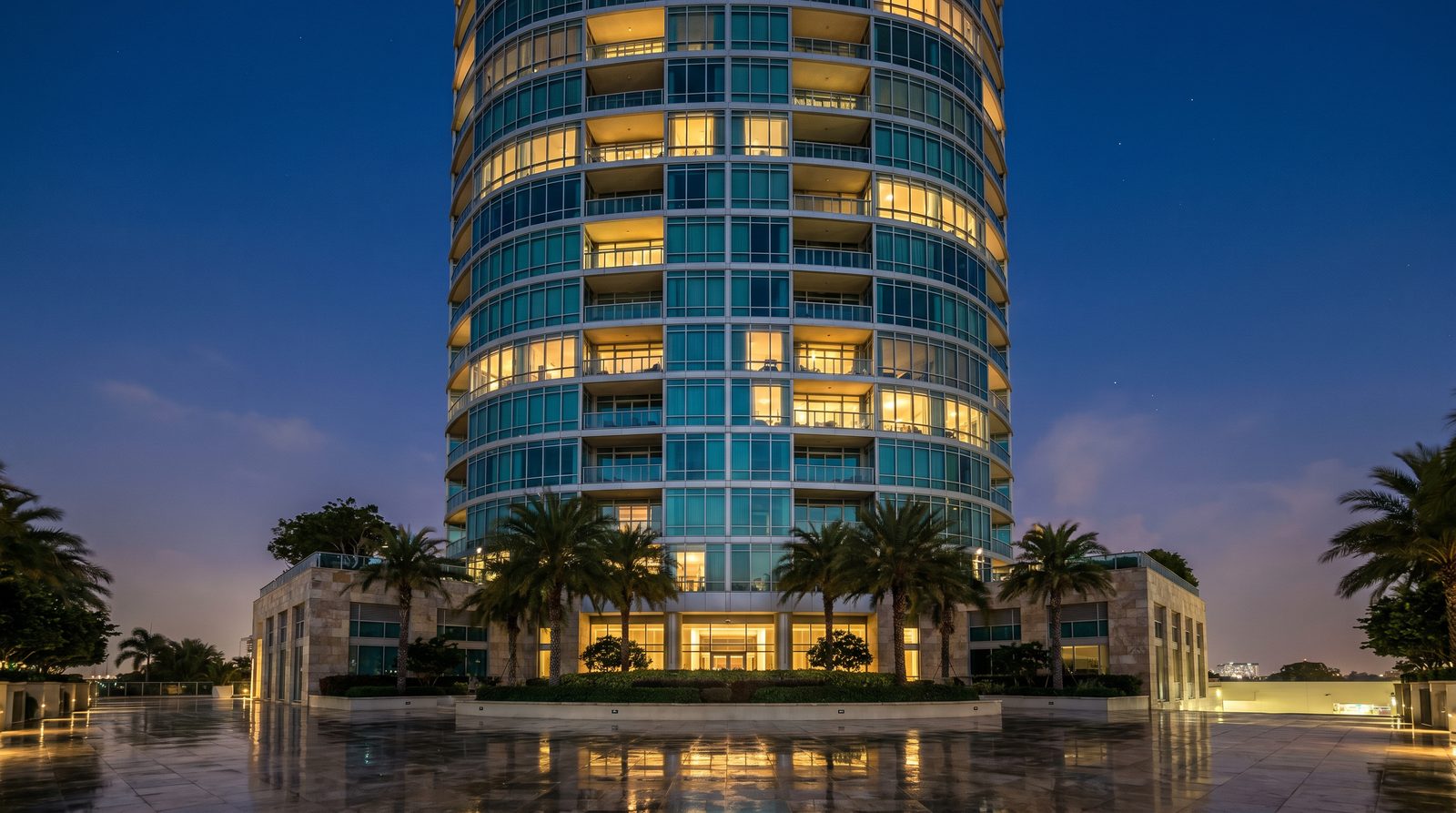
AI rendering tools are genuinely useful for early-stage design exploration — they are fast, low-cost, and good enough to test massing and material directions. For real-estate marketing, investor decks, and pre-sales campaigns, professional 3D rendering still wins: it delivers the material accuracy, lighting control, and brand-specific detail that AI tools cannot yet replicate reliably from construction documents.
Ratio Visuals' take: In our exterior and interior work for US developers, the projects where AI tools fall short are always the ones where the client needs a specific material — a custom brick coursing, a proprietary window system, a landscaping palette tied to a brand standard. AI generates plausible-looking results; it does not generate your building. That gap matters enormously when the image is going on a sales brochure or a lender presentation.
What exactly is AI rendering, and how does it work?
AI rendering uses machine-learning models to generate architectural images from sketches, photos, text prompts, or model screenshots — without a traditional 3D scene built from scratch. Tools like Veras by Chaos and mnml.ai sit inside or alongside existing design applications and produce visual outputs in seconds rather than hours. The output quality depends heavily on the quality and specificity of the input.
Traditional professional rendering starts from a fully modelled 3D scene — geometry built to match construction drawings, PBR materials matched to real product specs, and global illumination calculated to simulate real-world light behaviour. The process takes longer but produces images that are directly traceable to the actual building design.
How do Veras by Chaos and mnml.ai compare to each other?
Both Veras and mnml.ai are AI-native tools aimed at architects and designers, but they serve slightly different workflows. Veras is a plugin that lives inside SketchUp, Revit, and Rhino and can convert geometry into images or generate editable 3D scenes. mnml.ai is browser-based and accepts sketches, site photos, and model screenshots without requiring a specific host application.
| Criterion | Veras by Chaos | mnml.ai | Professional Studio Rendering |
|---|---|---|---|
| What it is | AI visualization plugin for SketchUp, Revit, Rhino | Browser-based AI rendering studio | Full-service 3D rendering from construction documents |
| Best for | Design ideation, early-stage variations, mood boards | Concept renders, site photo overlays, team collaboration | Pre-sales, investor decks, marketing campaigns, permit packages |
| Pricing model | Subscription: Starter €15.90/mo, Pro €27.50/mo (billed annually); Ultra price not published — as of November 2026 | Credit-based subscription: Lite $29/mo, Plus $49/mo, Studio $119/mo; one-time 10,000-credit pack $149 — as of November 2026 | Project-quoted individually; no fixed published rates |
| Output type | Images, video, editable 3D scenes, mood boards | Exterior, interior, landscape, masterplan images | Photorealistic stills, animations, aerial views, floor plans |
| Input required | Sketch, prompt, image, or 3D model inside supported apps | Sketch, site photo, model screenshot, or text prompt | CAD/BIM drawings, material specs, site context, brief |
| Turnaround | Seconds to minutes per image | Seconds to minutes per image | Days to weeks depending on scope and complexity |
| Material accuracy | Plausible but AI-interpreted; not spec-matched | Plausible but AI-interpreted; not spec-matched | Matched to actual product specs and brand standards |
| Key limitation | Depends on supported host applications; feature set changes rapidly between versions | Credit limits vary by plan; specialized for arch-viz workflows only | Higher cost and longer lead time; requires detailed drawings |
Veras pricing is sourced from 3dstudio.co's Veras pricing review. mnml.ai pricing is sourced from 3dstudio.co's mnml.ai review and rightaichoice.com, both reading the official pricing page in early November 2026. Verify current pricing on each vendor's site before purchasing.
When is AI rendering the better choice?
AI rendering tools are the right call when speed and volume of ideas matter more than pixel-perfect accuracy. For schematic design reviews, client mood-board sessions, or rapid massing studies, Veras and mnml.ai can produce dozens of visual directions in the time it takes a studio to model a single scene. If your goal is to test whether a material palette reads well at a glance, or to show a client three facade directions before committing to one, AI tools are genuinely efficient.
- Early-stage design exploration — testing massing, materiality, and style directions before finalising drawings
- High-volume concept iteration — generating many variations quickly for internal review
- Budget-constrained projects — small residential or interior projects where a polished marketing campaign is not the goal
- In-house architect workflows — teams already using SketchUp, Revit, or Rhino who want faster visual feedback inside their existing tools
- Mood boards and presentation decks — where the image is illustrative rather than the primary sales asset
mnml.ai's browser-based approach and free plugins for SketchUp, Revit, and Rhino make it accessible without a steep onboarding curve. Veras' integration with Chaos' broader V-Ray ecosystem means architects already in that environment can add AI ideation without switching platforms.
When does professional 3D rendering outperform AI tools?
Professional studio rendering is the right choice when the image is the primary sales or marketing asset — when it will appear on a listing, a hoarding, a brochure, a lender deck, or a social campaign. At that point, the gap between "plausible" and "accurate" becomes commercially significant.
- Pre-sales and lease-up campaigns — buyers and tenants make decisions based on these images; material and lighting accuracy directly affects perceived quality
- Investor and lender presentations — a render that does not match the drawings creates credibility problems
- Permit and planning submissions — many jurisdictions require renders that accurately represent the proposed building
- Brand-specific material matching — custom brick, proprietary cladding systems, specific landscaping palettes, or branded interior finishes cannot be reliably reproduced by AI from a prompt
- Complex lighting scenarios — dusk renders, interior artificial lighting, pool-water caustics, and cinematic animation require deliberate artistic direction, not probabilistic generation
- Aerial and masterplan views — site context, surrounding buildings, and landscape accuracy require a modelled scene, not an AI interpretation
For US developers running real-estate marketing campaigns, the renders are often the first impression a buyer has of a project that does not yet exist. That is not a context where "close enough" is acceptable.
What drives the cost difference between AI and professional rendering?
AI tools charge a flat subscription or per-credit fee regardless of project complexity. Professional rendering is quoted per project, and the cost drivers are: building type and complexity, number of views, lighting scenarios (day, dusk, night, interior), level of material detail, animation length, and revision rounds. A simple exterior still for a single-family home costs far less than a full campaign package for a mixed-use tower with aerial, interior, and animation deliverables.
The relevant comparison is not "AI subscription vs studio quote" — it is "what does each produce, and what is that output worth to the project?" For a developer selling pre-construction condos, a professional render that closes one additional sale covers the cost of the entire campaign. For an architect testing three facade options internally, an AI tool subscription is the sensible choice.
For a detailed breakdown of what affects rendering investment, see our rendering cost guide. For project-specific pricing, Ratio Visuals quotes each project individually — submit drawings and a brief and you will receive a shot list, timeline, and proposal within one business day.
What should real-estate developers actually do?
The most practical approach for a US developer is to use both tools at different stages. AI rendering during schematic design accelerates internal decision-making and reduces the number of revisions needed when professional rendering begins. Professional rendering takes over once drawings are sufficiently developed and the images need to carry commercial weight.
For exterior rendering and interior rendering that will appear in marketing materials, the investment in professional studio work is straightforward to justify. For landscape and pool rendering — where outdoor living is often the primary sales driver — material accuracy and lighting quality matter even more, because buyers are evaluating a lifestyle, not just a floor plan.
Frequently Asked Questions
Can AI rendering replace professional 3D rendering for real-estate marketing?
Not reliably, as of November 2026. AI rendering tools like Veras and mnml.ai produce fast, plausible images suitable for design exploration and early-stage presentations. For pre-sales campaigns, investor decks, and marketing materials where material accuracy and photorealism are commercially critical, professional 3D rendering remains the more dependable choice.
Is Veras by Chaos good for real-estate developers?
Veras is primarily designed for architects and interior designers doing design ideation inside SketchUp, Revit, or Rhino. It is a strong tool for early-stage visualization and design exploration. For polished real-estate marketing renders — especially exterior campaigns, aerial views, or branded interior finishes — a professional rendering studio is better suited to the output requirements.
How does mnml.ai compare to hiring a rendering studio?
mnml.ai is a browser-based AI tool that generates architectural images from sketches, photos, and prompts quickly and at a low monthly cost. A professional rendering studio works from actual construction documents, matches specific materials and lighting to the project brief, and produces images built to carry commercial weight in sales and marketing contexts. They serve different stages of the workflow.
What inputs do AI rendering tools need compared to professional rendering?
AI tools like Veras and mnml.ai can work from rough sketches, site photos, model screenshots, or text prompts — minimal input is required. Professional rendering studios need CAD or BIM drawings, material specifications, site context, and a detailed brief. The richer input is what enables the higher output accuracy that marketing-grade renders require.
When should a developer use AI rendering and when should they hire a studio?
Use AI rendering during schematic design to test massing, materiality, and style directions quickly. Hire a professional rendering studio once drawings are developed enough that the images will be used commercially — in listings, brochures, investor presentations, or pre-sales campaigns. The two approaches complement each other across a project's lifecycle.
Contact Ratio Visuals with your drawings and brief — we will return a shot list, timeline, and proposal within one business day.
Last updated: November 2026