How Design-Build Firms Win More Bids With 3D Renders
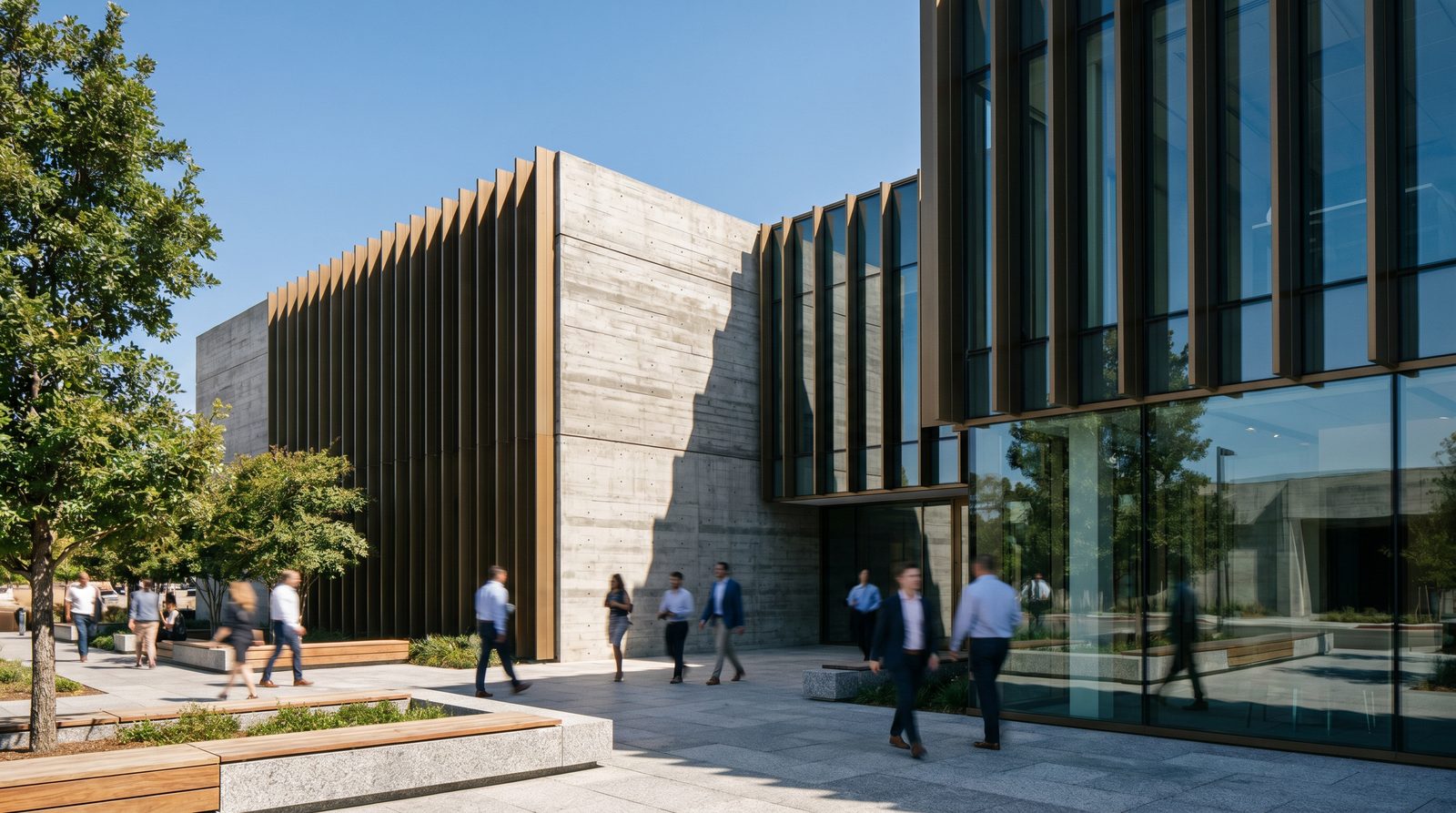
Design-build firms that include photorealistic 3D renders in their bid packages consistently outperform competitors who rely on hand sketches or 2D drawings alone. Renders let a client see the finished project before a single foundation is poured — removing doubt, accelerating decisions, and making the proposal feel like a commitment rather than a promise. The result is faster approvals, fewer revision cycles, and a measurable edge at the shortlist stage.
Why Clients Choose the Firm That Shows, Not Tells
A design-build bid is a trust exercise. The client is being asked to hand over both design authority and construction execution to a single team — a significant leap of faith. A photorealistic exterior or interior render collapses that gap. Instead of asking the client to mentally translate a floor plan into a finished building, you hand them a near-photograph of the outcome. Doubt dissolves; confidence rises; the conversation shifts from "will this work?" to "when do we start?"
From our studio experience producing renders for US developers and architects, the projects where clients moved fastest from proposal to signed contract were almost always the ones where strong visuals anchored the bid. The image does the persuasion work that a spec sheet cannot.
What Types of Renders Belong in a Design-Build Bid Package?
The right mix depends on the project type, but a competitive bid package typically draws from three render categories.
Exterior Renders
An exterior render is usually the anchor visual — the hero shot the client returns to when comparing proposals. A well-lit daytime or dusk view showing accurate materials, landscaping context, and surrounding streetscape signals that your firm has already thought through the building's relationship to its site. For commercial or mixed-use projects, showing the façade at street level alongside pedestrian activity makes the design feel real and buildable.
Interior Renders
Interior renders answer the questions clients are often too embarrassed to ask: "Will it feel cramped?" "Does the finish palette actually work together?" "Is the kitchen layout functional?" A photorealistic interior render of the primary living space, lobby, or key amenity area removes those anxieties before the client voices them. For design-build specifically — where the firm controls finishes — showing actual specified materials (tile, cabinetry, hardware) rather than generic placeholders is a powerful differentiator.
Aerial or Site-Context Renders
For larger projects, an aerial or masterplan view demonstrates site understanding. It shows the client you have considered massing, setbacks, parking flow, and landscape — not just the building envelope. This view is particularly persuasive for municipal or institutional clients who need to present the project to a board or planning committee.
How Renders Change the Bid Conversation
The mechanics of winning a bid with renders work on several levels simultaneously.
- Emotional commitment before the contract: When a client has seen a render they love, they have already mentally moved in. Switching to a competing firm means abandoning that vision — a psychological cost most clients won't pay.
- Reduced scope ambiguity: Renders force specificity. You cannot render a kitchen without choosing cabinet profiles, countertop material, and hardware. That specificity prevents the "that's not what I imagined" disputes that derail projects mid-construction.
- Easier internal approval: Most clients present your bid to a partner, board, or lender. A render travels that internal approval chain far better than a PDF of drawings. The decision-maker who wasn't in your presentation sees the finished building, not a floor plan.
- Perceived investment in the project: A polished render signals that your firm took the bid seriously. It communicates capacity, process maturity, and attention to detail — all qualities a design-build client is betting on for the full project lifecycle.
Design-Build vs. Traditional Delivery: Why Visuals Matter More Here
In a traditional design-bid-build process, the architect's drawings are the deliverable. In design-build, the firm is selling a unified promise: design intent plus construction execution, from a single source. That promise is harder to evaluate on paper. Renders make it tangible. They are the closest thing to a prototype the client will ever see before breaking ground.
This is especially true for custom home builders operating in the design-build model — where the client's emotional investment is highest and the stakes of a misaligned expectation are most damaging. A render reviewed and approved before construction begins is also a contractual alignment tool: both parties have agreed on what "done" looks like.
When to Commission Renders: Before or After Winning the Bid?
The most effective approach is to commission a single strong hero render — typically the primary exterior view — as part of the proposal itself, and reserve the full visualization package for the design development phase after award. This balances bid investment against the cost of pursuing work you may not win.
For competitive shortlists where the stakes are high, some firms invest in two or three views: exterior hero, key interior space, and a site aerial. The calculus is straightforward: if the project fee justifies the render investment and the shortlist is tight, the visual edge is worth it. For repeat clients or negotiated work, a single strong render is usually sufficient.
It is also worth considering renders for the retail and restaurant sector, where landlords, franchisors, and municipal planners all need to sign off before construction can begin — making pre-construction visuals a functional requirement, not just a sales tool.
What Makes a Bid Render Persuasive (Not Just Pretty)
Not all renders serve the same purpose. A render built for social media marketing prioritizes drama and atmosphere. A render built to win a bid must do something more specific: it must make the client believe the design is buildable, on-budget, and right for their site.
Accuracy over artistry
Bid renders should reflect the actual specified materials, the real site orientation, and the correct massing from your preliminary drawings. A render that looks stunning but diverges from the proposed design creates problems downstream — the client will hold you to the image, not the drawings.
Context and scale cues
Including site context — adjacent buildings, landscaping, vehicles, people — gives the client an immediate sense of scale and fit. An isolated building floating on a white background is less persuasive than the same building shown in its actual neighborhood or landscape setting.
Lighting that matches the project's character
Dusk renders work exceptionally well for residential and hospitality projects because the warm interior glow creates emotional warmth. Daytime renders are more appropriate for commercial or institutional bids where clarity and professionalism are the primary signals. In our exterior work, dusk lighting is the single most requested treatment for residential design-build proposals.
Comparison: Bid Packages With and Without 3D Renders
| Factor | 2D Drawings Only | With 3D Renders |
|---|---|---|
| Client comprehension | Requires design literacy to interpret | Immediately understood by any stakeholder |
| Emotional engagement | Low — abstract representation | High — client sees the finished building |
| Internal approval speed | Slow — decision-makers struggle with drawings | Fast — renders travel the approval chain easily |
| Scope alignment | Ambiguous — finishes left to imagination | Specific — materials and palette confirmed visually |
| Perceived firm capability | Standard — expected baseline | Premium — signals investment and process maturity |
| Competitive differentiation | Minimal if competitors also use drawings | Strong if competitors are still on 2D |
| Post-award disputes | Higher risk — "that's not what I expected" | Lower risk — approved render sets expectations |
How to Brief a Studio for a Bid Render
Speed matters at the bid stage. A well-briefed studio can turn around a single exterior render in a matter of days. To hit that timeline, have these assets ready when you reach out:
- Preliminary floor plans and elevations (even schematic-level drawings are workable)
- Site survey or Google Earth reference showing orientation and surroundings
- Material palette — even a rough specification or mood board
- Preferred view angle and time of day (daytime, dusk, or night)
- Any reference images showing the aesthetic you are targeting
The more complete your brief, the more accurate and persuasive the render will be. If you are unsure what to provide, a good studio will walk you through a structured briefing process. For a deeper look at how renders support commercial leasing decisions — a related use case — see our guide on what brokers need to close deals with renders.
Using Renders Beyond the Bid: ROI Across the Project Lifecycle
A render commissioned for a bid does not expire at contract signing. The same assets can be repurposed for:
- Pre-sales and reservations — sell units or lease space before construction begins
- Investor and lender decks — visualize the project for financing presentations
- Planning and permit submissions — some jurisdictions require or favor photorealistic context renders
- Marketing and social media — build brand awareness and project pipeline
- Interior finish approvals — use interior renders to lock in finish selections with clients before ordering materials (see our guide on how renders win design approval)
The render you invest in to win the bid becomes a marketing asset that pays dividends across the entire project lifecycle. For firms that build repeatedly in the same market, a consistent visual identity across proposals also builds brand recognition with developers, municipalities, and repeat clients.
If you are evaluating whether to build an in-house visualization capability or work with a specialist studio, our comparison of Fiverr renders vs. professional studio work covers the tradeoffs honestly.
Frequently Asked Questions
Do design-build firms need renders for every bid?
Not every bid, but any competitive shortlist where the client is comparing multiple firms benefits significantly from renders. The calculus is simple: weigh the render investment against the project fee. For high-value or high-competition bids, a single strong exterior render almost always justifies the cost and improves your odds meaningfully.
How early in the design process can renders be produced?
Renders can be produced from schematic-level drawings — you do not need construction documents. Preliminary floor plans, basic elevations, a site plan, and a material direction are sufficient for a bid-quality exterior render. Interior renders typically need a bit more detail on finishes, but a mood board plus floor plan is a workable starting point.
What is the difference between a bid render and a marketing render?
A bid render prioritizes accuracy and buildability — it must reflect the actual proposed design and specified materials so it sets realistic expectations. A marketing render can take more creative latitude with lighting, landscaping, and lifestyle staging. In practice, a well-made bid render often doubles as a marketing asset after the project is awarded.
Can renders help with municipal or planning approvals as well as client bids?
Yes. Photorealistic context renders — showing the proposed building within its actual streetscape or site — are increasingly expected in planning submissions. They help planning boards and community stakeholders understand massing, scale, and visual impact far more clearly than technical drawings, which can accelerate approval timelines.
How do renders reduce post-contract disputes on design-build projects?
Because design-build firms control both design and construction, any gap between client expectation and delivered result falls entirely on the firm. A render reviewed and approved before construction begins creates a visual contract — both parties have agreed on what the finished project looks like, reducing "that's not what I imagined" disputes that are costly to resolve mid-build.
Last updated: November 2026