Rendering Turnaround Time: What Affects Your Deadline
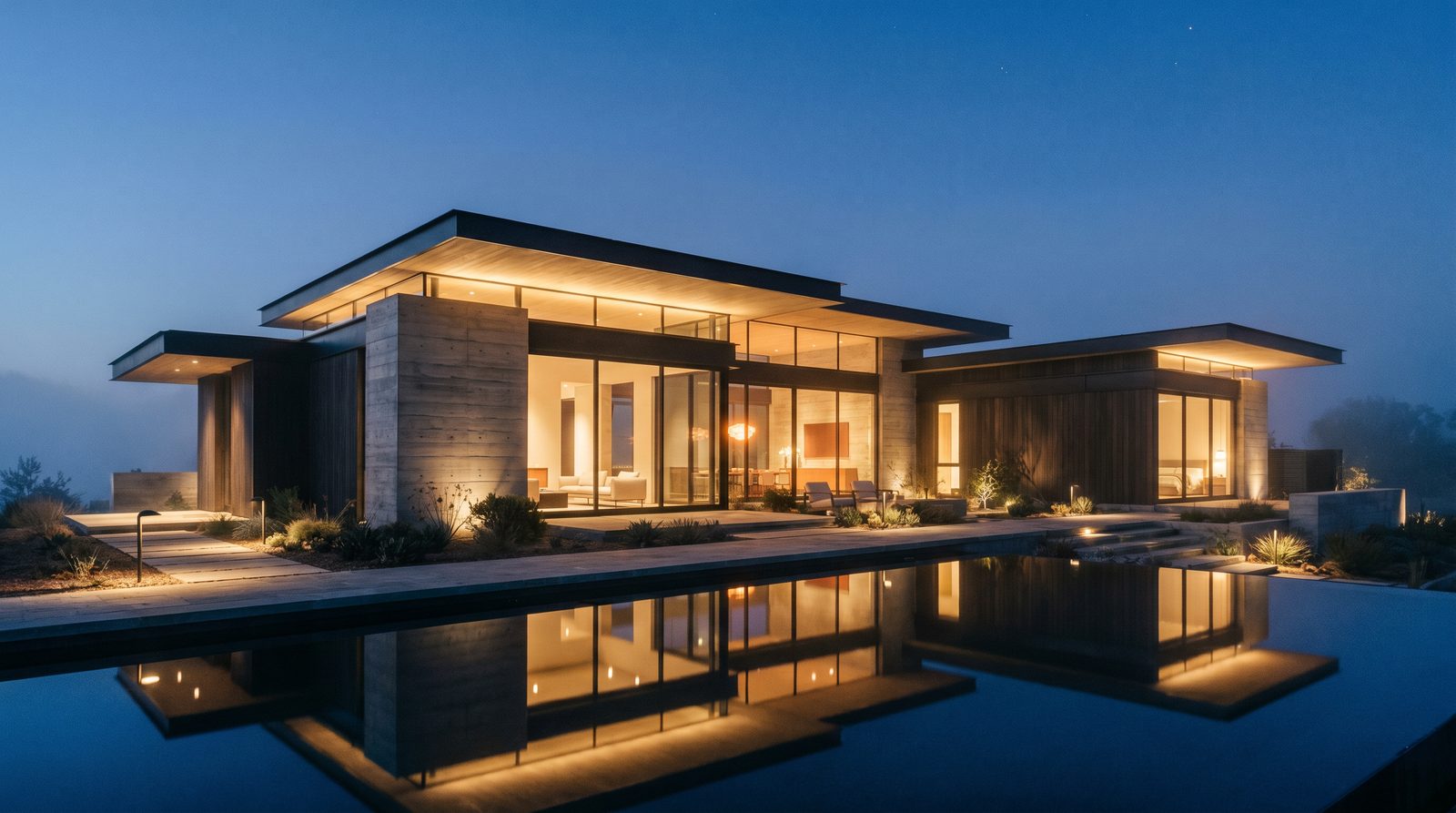
Rendering turnaround time is driven by four core variables: the number and type of views requested, how complete your source files are on day one, how many revision rounds the project requires, and current studio capacity. A single exterior still from a well-documented set of drawings can be production-ready in three to five business days. A full mixed-use package with interior scenes, dusk variants, and a walkthrough animation will typically run three to six weeks from a complete brief.
What Does "Turnaround Time" Actually Mean in a Rendering Project?
Turnaround time starts when a studio has everything it needs to begin — not when you send the first email. The clock does not start until your drawings, material selections, and camera direction are confirmed. Gaps in the brief are the single most common cause of missed deadlines, because each round of back-and-forth adds one to three business days before production can advance.
A typical rendering project moves through three phases, each with its own time cost:
- Modelling & scene setup — building the 3D geometry from your architectural drawings, placing context, and establishing camera angles.
- Lighting, materials & first draft — applying PBR materials, setting up global illumination, and producing the first-pass render for your review.
- Revision rounds & final delivery — incorporating your feedback, refining finishes, and exporting the final high-resolution files.
Each phase is sequential. A change to geometry after materials are applied — for example, a window revision after modelling is complete — resets the affected phase, not just the revision clock.
How Project Type Shapes the Timeline
The single biggest driver of turnaround time is what you are rendering and how many deliverables are in scope.
| Deliverable type | Typical timeline (complete brief) | Key complexity drivers |
|---|---|---|
| Single exterior still | 3–5 business days | Context depth, entourage, dusk vs day lighting |
| Exterior package (3–5 views) | 7–12 business days | Number of unique angles, material complexity, site scope |
| Single interior still | 3–5 business days | Furniture sourcing, custom millwork, natural vs artificial lighting mix |
| Interior package (3–6 rooms) | 10–18 business days | Number of unique room types, finish schedules, hero vs supporting views |
| Landscape / pool still | 4–7 business days | Planting density, water features, outdoor lighting rigs |
| Aerial / masterplan view | 5–10 business days | Site area, context modelling, drone-angle complexity |
| Architectural walkthrough animation | 3–6 weeks | Duration, number of scenes, animation complexity, render farm time |
| Full marketing package (mixed) | 4–8 weeks | All of the above, plus sequencing and phased delivery |
These windows assume a complete brief at kickoff. Each missing input — an unresolved façade material, an undefined landscape plan, a camera angle still under discussion — adds days, not hours.
The Brief Quality Factor: Why Incomplete Files Cost More Time Than Complexity
In our experience producing photorealistic renders for US developers and architects, an incomplete brief causes more schedule slippage than a technically complex project with full documentation. A high-rise condo tower with a complete set of architectural drawings, a finish schedule, and clear camera direction will move faster than a single-family home where the material palette is still being decided.
The files and decisions that compress turnaround time most:
- Architectural drawings (PDF or CAD): Floor plans, elevations, and sections at a minimum. The more complete, the less modelling ambiguity.
- Material and finish schedule: Specific product names, manufacturer references, or mood-board images for every visible surface.
- Camera angles: A marked-up site plan or reference photo showing the view direction and approximate height.
- Context requirements: How much surrounding streetscape, landscaping, or sky should be included.
- Lighting preference: Day, dusk, golden hour, or overcast — each requires a different lighting setup and affects render time.
Our exterior rendering specifications guide walks through exactly what to prepare before briefing a studio, which is the fastest way to compress your own timeline.
Revision Rounds: The Hidden Schedule Variable
Most studios build one or two revision rounds into a standard project scope. Each round adds one to three business days depending on the nature of the change. Minor adjustments — a material swap, a brightness tweak, a camera nudge — are fast. Structural changes — a revised roofline, a new wing added to the building, a complete landscape redesign — require geometry work and restart that phase of production.
The practical implication: consolidate feedback. One round of ten consolidated comments takes a fraction of the time that ten separate single-comment rounds take. Developers working against a hard pre-sales or investor-deck deadline should schedule a single internal review before sending revision notes to the studio.
For projects like hospitality renders or retail and restaurant visualizations, brand standards and franchisor approvals can add external review cycles that are outside the studio's control — build that buffer into your project schedule, not into the studio's production window.
Animation vs Stills: Why Walkthroughs Take Longer
Architectural animation is a fundamentally different production pipeline from still rendering. A 60-second walkthrough at standard delivery resolution requires hundreds of individual frames, each rendered at full quality, then composited and graded in post-production. Even with a render farm, this is a multi-week process.
The variables that most affect animation turnaround:
- Duration: Every additional second of finished video is roughly 24–30 frames of render time.
- Number of unique scenes: A tour that moves from exterior to lobby to amenity deck to rooftop involves multiple distinct scene setups, not just one camera path.
- Complexity of movement: Static camera paths render faster than dynamic fly-throughs with animated entourage (moving people, traffic, water).
- Post-production scope: Music, voiceover, colour grading, and title cards all add time after the 3D render is complete.
If your deadline is tight and a full walkthrough is not feasible, a cinemagraph — a still render with a single looping element such as rippling water or swaying trees — can deliver motion-content value in a fraction of the time.
How Landscape and Pool Projects Affect the Schedule
Outdoor living scenes are among the most time-intensive stills to produce because they combine architectural geometry with complex organic elements: planting, water, hardscape, and often multiple lighting conditions. A resort-style pool with a detailed landscape plan, night lighting, and reflective water surface takes meaningfully longer than a clean exterior elevation.
Our landscape and pool rendering guide covers what to provide to keep this category on schedule — primarily a graded site plan, a planting list, and a clear lighting intent (daytime resort, dusk ambience, or night feature lighting).
Studio Capacity and Queue Position
Even a perfectly documented brief cannot override a full production queue. Studios with limited capacity may have a one- to two-week intake delay before your project enters active production. The best way to avoid this is to brief the studio early — ideally at schematic design stage — so your project can be scheduled before the marketing deadline becomes urgent.
Phased delivery is a practical option for large packages. For a mixed-use development, the exterior hero view and one interior suite render can be delivered first for investor-deck use, with the full package following over the subsequent weeks. This approach is common in pre-sales rendering programs where different assets serve different audiences on different timelines.
Townhouse and Multifamily Projects: Scale and Repetition
Multifamily and townhouse projects have a useful efficiency: once the base unit model is built, additional units and building configurations can be produced faster than starting from scratch. A townhouse rendering package covering three unit types and two streetscape views will not take three times as long as a single view, because the geometry and materials are largely shared. Studios that understand multifamily production can sequence these efficiently — which is worth asking about when you scope the project.
How to Compress Your Own Turnaround Time
The developer or architect controls more of the timeline than most people realise. These actions consistently reduce production time:
- Submit a complete brief on day one. Every clarification question adds at least a day.
- Resolve material selections before briefing. "TBD" on a finish schedule is a production hold.
- Consolidate internal feedback before sending revisions. One round of ten comments beats ten rounds of one comment.
- Brief the studio at schematic design, not at permit submission. Earlier engagement means better queue position and more time for iteration.
- Prioritise deliverables. Tell the studio which view is needed first for a specific deadline; phased delivery can get critical assets out faster.
Frequently Asked Questions
How long does a single exterior rendering take?
A single exterior still from a complete set of drawings typically takes three to five business days. Dusk or night lighting setups add roughly one day over a standard daytime render because the lighting rig requires additional setup and longer render times to resolve the artificial light sources cleanly.
Why is my rendering taking longer than expected?
The most common causes are incomplete brief materials (missing materials, unresolved geometry, undefined camera angles), structural revision requests that require geometry changes, or a studio queue backlog. Checking which phase is affected — modelling, lighting, or revisions — tells you whether the delay is recoverable or requires a schedule reset.
Does a larger project always take longer?
Not necessarily. A large multifamily project with a complete brief and shared geometry across units can move faster per view than a smaller project with unresolved design decisions. Completeness of the brief matters more than raw project size. Phased delivery also means critical assets can be released before the full package is done.
How long does an architectural animation take to produce?
A finished architectural walkthrough animation typically takes three to six weeks from a complete brief, depending on duration, number of scenes, and post-production scope. A 60-second single-scene exterior fly-through sits at the shorter end; a multi-scene interior and exterior tour with post-production finishes sits at the longer end.
Can I get a faster turnaround for a hard deadline?
Rush delivery is possible at some studios, but it depends on current queue capacity and the scope of work. The most reliable way to meet a hard deadline is to brief early, submit complete files, and prioritise which deliverable is needed first so the studio can phase production around your schedule rather than compressing it.
Ready to scope your project and get a realistic timeline? Contact Ratio Visuals with your drawings and deadline — we'll tell you exactly what's achievable and in what sequence.
Last updated: November 2026